Quick Facts
- Category: Hardware
- Published: 2026-05-12 13:05:17
- Solar-Powered Revival: Transforming Old Nook Simple Touch Readers with Custom Cases
- How Frontier AI Is Redefining Cybersecurity for the Modern Era
- AI Industry Faces Data Quality Emergency as Human Annotations Dwindle
- The Next Chapter in Weight-Loss Drugs: Novo Nordisk's Pill Strategy and Market Shifts
- Transform Your Photo Library Cleanup with This Day: A Daily Habit Builder
Introduction: The Illusion of Deletion
When you hit the delete key, a common assumption is that your file vanishes into the digital ether. On a traditional hard disk drive (HDD), that's often not the case—the data lingers until overwritten, making recovery possible with the right tools. But on a modern solid-state drive (SSD), the story is fundamentally different. Due to the unique way SSDs manage data, recovering deleted files becomes an almost insurmountable challenge. This article explains the technical reasons behind that finality and what it means for your data security.
How SSDs Differ from Traditional Hard Drives
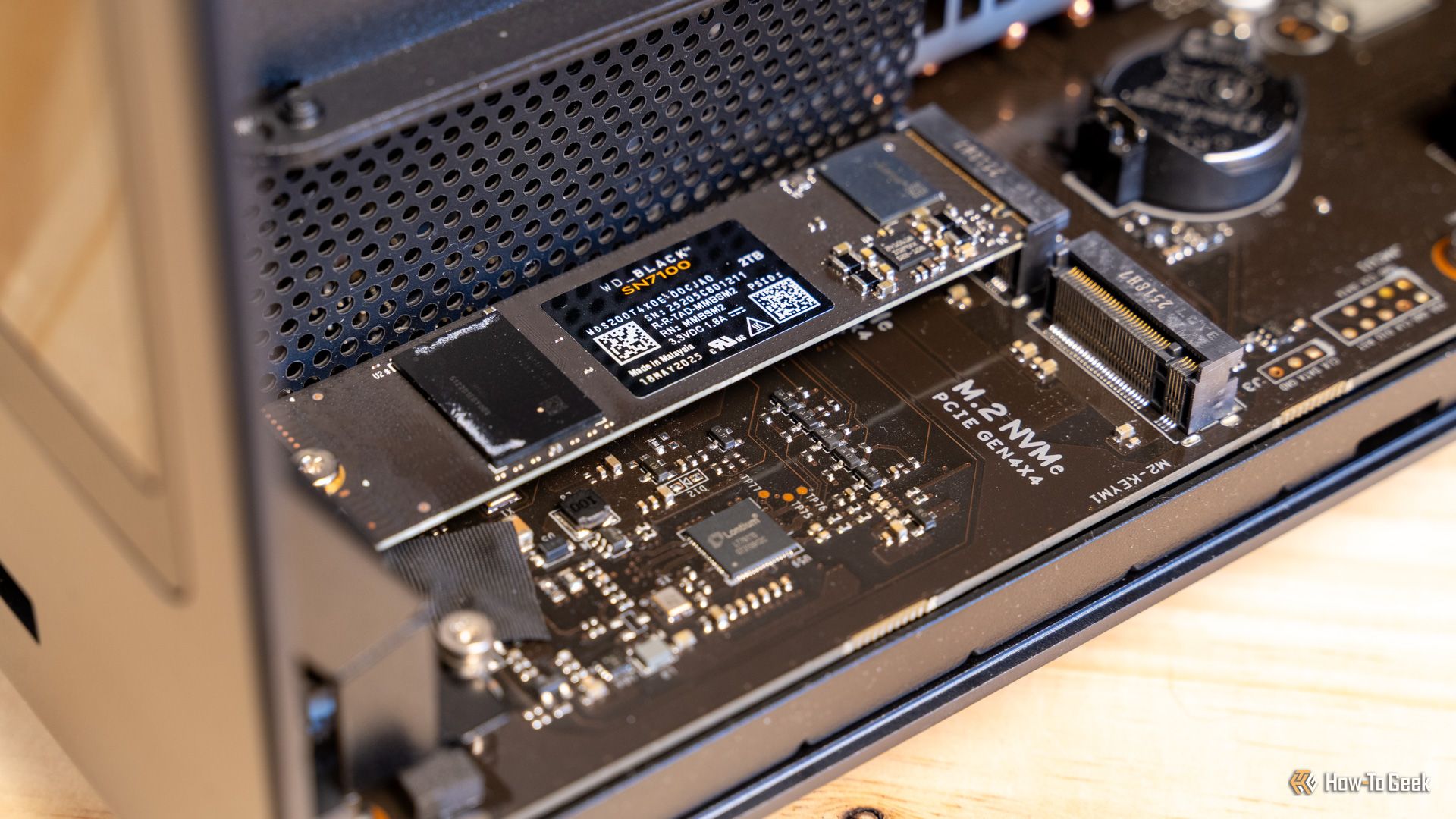
HDDs store data on spinning magnetic platters, where deletion merely removes the file's pointer, leaving the actual data on the disk until new data overwrites it. SSDs, in contrast, use NAND flash memory—a grid of cells that store electrical charges. This architecture introduces several critical differences that complicate data recovery.
The TRIM Command: The First Line of Defense
When an operating system deletes a file on an SSD, it sends a TRIM command to the drive. This command tells the SSD that the blocks containing that file are no longer needed. The SSD then immediately erases those blocks or marks them for erasure during idle time. Unlike an HDD, where data persists until overwritten, TRIM causes the physical data to be wiped soon after deletion. This is the primary reason why conventional recovery software fails on SSDs—the raw data is gone, not just the file system reference.
Garbage Collection and Wear Leveling
SSDs employ two internal processes that further impede recovery. Garbage collection consolidates valid data and erases invalid blocks to prepare for new writes. Wear leveling distributes writes across the memory cells to prevent premature failure. Both processes can cause the physical location of data to shift unpredictably. Even if a file is not immediately erased by TRIM, it may be rearranged or overwritten as the drive optimizes itself. This makes forensic recovery nearly impossible without specialized equipment.
What Happens When You Delete a File on an SSD?
To understand the difficulty, it's helpful to walk through the deletion process step by step.
Step 1: Operating System Signals
When you delete a file, the file system removes the entry from its table (e.g., the master file table on NTFS). This makes the space available for future use. At the same time, the OS sends a TRIM command to the SSD, identifying the logical block addresses of the deleted data.
Step 2: SSD Internal Operations
The SSD's controller receives the TRIM command. Depending on the drive's firmware, it may immediately erase the corresponding physical blocks or add them to a queue for garbage collection. During idle periods, the controller actively erases and reorganizes blocks. Within seconds to minutes, the original data is physically removed or overwritten. This internal process is invisible to the user and happens even if the system is powered off briefly.
Why Data Recovery Tools Fail on SSDs
Most data recovery software works by scanning the raw sectors of a storage device for remnants of deleted files. On an HDD, this is effective because deleted data remains in place. On an SSD, however, the combination of TRIM and garbage collection means that the physical memory cells holding the deleted file are quickly cleared. The software sees empty or zero-filled blocks, making recovery impossible. Additionally, SSDs use a logical-to-physical mapping that obscures the actual location of data, further complicating any manual recovery attempts.
Exceptions and Caveats
There are a few scenarios where recovery might be possible, but they are rare and limited:
- Older SSDs without TRIM support: Drives that predate the TRIM protocol (or are connected via USB without TRIM pass-through) may retain deleted data longer, though garbage collection still operates.
- File system snapshots or backups: If the OS had a shadow copy or backup of the file, recovery can be done from that source, but not from the SSD itself.
- Immediate power-off after deletion: If the system is abruptly turned off before the TRIM command is fully executed, some data fragments might persist, but this window is extremely narrow (milliseconds to seconds).
- DRAM-less or low‑end SSDs: Some budget SSDs may have less aggressive garbage collection, slightly increasing the chance of recovery, but still far less than with HDDs.
Practical Advice for SSD Users
Given the near impossibility of recovering deleted data from an SSD, proactive measures are essential.
Backup Regularly
The most reliable recovery method is having a backup. Use cloud services or external drives to store copies of important files. If you accidentally delete something, restore it from backup instead of attempting SSD-level recovery.
Implement Secure Erasure
If you need to ensure data is irrecoverable (e.g., before selling or recycling a drive), use the SSD's built-in secure erase command (via the BIOS or manufacturer tool). This triggers a full internal wipe that is far more thorough than any software-based deletion.
Avoid Relying on Recovery Software
Don't expect consumer-grade recovery tools to work on SSDs. In most cases, they will either fail or only recover corrupted files. If you absolutely need data recovery, contact a professional lab that may use chip-off techniques (physically removing NAND chips), but this is expensive and rarely successful.
Conclusion
The combination of TRIM, garbage collection, and wear leveling makes SSDs both fast and secure against unauthorized recovery. While this is great for privacy and performance, it means that accidental deletions are typically final. Understanding these mechanisms helps users make informed decisions about backups and data security. In the world of SSDs, the best recovery is prevention.